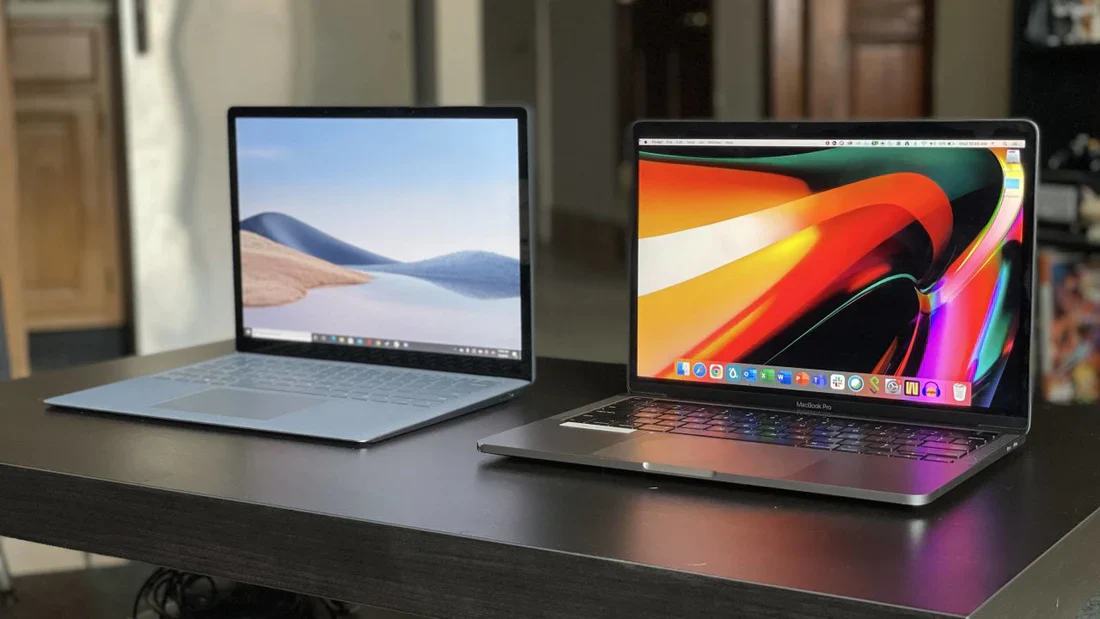
A 64 GB RAM laptop is one of the most powerful laptop categories you can buy today. It is designed for people who don’t just browse the internet or watch YouTube, but work on heavy software, manage big projects, run multiple apps at once, and want a smooth, lag-free experience.
In simple words, RAM (Random Access Memory) is the short-term memory of your laptop. The more RAM you have, the more tasks your laptop can handle at the same time without slowing down. That’s why a 64 GB RAM laptop is often considered a premium and professional-level machine.
This guide will help you understand what 64GB RAM really means, who should buy it, what specs matter most, and how to choose the right laptop without wasting money.
1. Introduction
Many people get confused when they see laptops with 16GB, 32GB, or 64GB RAM. They ask the same question: “Do I really need 64GB RAM?”
The truth is, a 64 GB RAM laptop is not for everyone. But for the right person, it can be a game-changer. It can improve productivity, reduce crashes, speed up professional workloads, and make multitasking feel effortless.
In this article, you will learn:
- What RAM is and why it matters
- Why 64GB RAM is a big deal
- Which tasks benefit the most from 64GB
- What other laptop parts matter along with RAM
- Pros, cons, and buying tips
- FAQs people commonly search online
2. What Is RAM and Why It Matters
RAM stands for Random Access Memory. It is the part of your laptop that temporarily stores data that your system needs right now. When you open apps like Chrome, Photoshop, Premiere Pro, games, or even large Excel files, they load into RAM so they can run smoothly.
The biggest reason RAM matters is speed. RAM is much faster than storage drives, even fast SSDs. That’s why laptops with more RAM usually feel more responsive, especially when many programs are running together.
RAM vs Storage (SSD/HDD): What’s the Difference?
A lot of people confuse RAM with storage, but they are not the same thing.
- Storage (SSD/HDD) is where your laptop keeps files permanently, such as videos, photos, software, and documents.
- RAM is temporary and clears when the laptop restarts. It helps your laptop run tasks quickly.
Think of it like this: storage is a cupboard where you keep things, and RAM is the table where you place items you are currently using. A bigger table means you can work faster without making a mess.
3. Why Choose a 64 GB RAM Laptop
Buying a 64 GB RAM laptop is mainly about power, speed, and future readiness. It is ideal for users who want to run heavy software smoothly without worrying about memory limits.
Better Multitasking Without Lag
With 64GB RAM, your laptop can handle many things at once, such as:
- 30+ browser tabs open
- video editing software running
- background exports and rendering
- music streaming + meetings
- multiple large files open simultaneously
This kind of multitasking can easily overwhelm a 16GB or even 32GB laptop, depending on your work.
Smoother Performance for Heavy Applications
Some applications require huge memory usage. For example, editing high-resolution videos, running 3D projects, or building large software programs can quickly consume RAM. In such cases, a 64 GB RAM laptop helps avoid slowdowns, freezing, and sudden crashes.
Future-Proofing Your Laptop
Software keeps getting heavier every year. Many people buy a laptop thinking it will last 4–6 years. If you want a laptop that stays fast for a long time, choosing 64GB RAM can be a smart long-term investment.
However, future-proofing only makes sense if you actually use demanding programs. If your work is basic, then 64GB may be more than you need.
4. Ideal Uses for a 64 GB RAM Laptop
A 64 GB RAM laptop is best for professional workloads and advanced tasks. Let’s break down the most common real-world uses.
1) Video Editing (4K, 6K, and 8K Workflows)
Video editing is one of the biggest reasons people upgrade to 64GB RAM. Editing high-resolution footage takes a lot of memory, especially when you work with:
- multiple video layers
- effects and transitions
- color grading
- motion graphics
- long timelines
A 64GB laptop can handle smoother previews and faster editing, especially in programs like Adobe Premiere Pro, DaVinci Resolve, and After Effects.
2) Graphic Design and Large Photoshop Projects
Graphic designers often work with high-quality images, multiple layers, and huge file sizes. If you are working on branding, posters, UI designs, or print projects, more RAM helps you work faster without delays.
3) 3D Modeling and Animation
3D software is extremely demanding. Whether you use Blender, Autodesk Maya, or other 3D tools, RAM plays a major role in handling large scenes, high-poly models, textures, and simulation data.
4) Programming and Software Development
Developers often run heavy IDEs, Docker containers, emulators, and virtual machines. A 64 GB RAM laptop is excellent for:
- full-stack development
- Android Studio and iOS simulators
- running local servers
- large code compilation
- multiple environments open at once
5) Virtual Machines and Cybersecurity Labs
If you use VMware, VirtualBox, or Hyper-V, you’ll know that each virtual machine requires dedicated RAM. With 64GB RAM, you can run multiple VMs smoothly, which is useful for IT professionals, cybersecurity learners, and network engineers.
6) Data Science, AI, and Large Datasets
Working with big datasets requires memory. A 64GB laptop is useful for:
- machine learning projects
- Python data analysis
- AI training (basic level)
- large Excel/Power BI workflows
Even though GPU matters for AI, RAM still helps handle data processing and smoother workflow performance.
5. How RAM Works with Other Laptop Components
RAM is important, but it is not the only thing that decides laptop speed. A powerful 64 GB RAM laptop should also have strong supporting hardware.
CPU (Processor)
The CPU is the brain of the laptop. If you buy 64GB RAM but choose a weak CPU, the laptop won’t perform like a true high-end machine.
For best results, pair 64GB RAM with:
- Intel Core i7 / i9 (modern generation)
- AMD Ryzen 7 / Ryzen 9
- Apple Silicon Pro/Max chips (Unified Memory models)
Storage: SSD Matters a Lot
Even with 64GB RAM, a slow storage drive can make your laptop feel sluggish. A fast NVMe SSD is recommended because it improves:
- boot speed
- app opening speed
- file loading
- exporting and transferring
A good combination is 64GB RAM + 1TB NVMe SSD, especially for creators and professionals.
GPU (Graphics Card)
If your work involves gaming, editing, 3D rendering, or AI tasks, a dedicated GPU matters a lot.
For example:
- creators benefit from NVIDIA RTX series
- gamers need a strong GPU for high FPS
- 3D artists need GPU rendering power
Cooling and Thermal Performance
Powerful laptops generate heat. If cooling is weak, performance drops due to thermal throttling. That’s why workstation and gaming laptops often have bigger fans and better cooling systems.
6. Types of Laptops That Offer 64GB RAM
Not every laptop comes with 64GB RAM. Usually, this feature is found in premium categories.
Workstation Laptops
Workstations are built for professional use like CAD, engineering, 3D, and heavy creative work. They are expensive but reliable, and often support upgrades.
Gaming Laptops
Gaming laptops offer high performance, powerful GPUs, and strong cooling. Many gaming models support 64GB RAM, making them good for both gaming and content creation.
Creator Laptops
Creator laptops focus on color-accurate displays, strong CPUs/GPUs, and performance for editing and designing.
Thin and Light Premium Laptops
Some premium ultrabooks offer 64GB RAM, but often with soldered memory. These are ideal for productivity and professional work on the go.
Expandable vs Soldered RAM
Some laptops allow RAM upgrades, while others do not.
Here’s a simple comparison:
| Feature | Upgradeable RAM | Soldered RAM |
|---|---|---|
| Can upgrade later? | Yes | No |
| Better for long-term value | Yes | No |
| Usually found in | Workstations, gaming laptops | Ultrabooks, MacBooks |
| Best for | Users who want flexibility | Users who want portability |
If you want future upgrades, always check whether the laptop supports expandable RAM.
7. Top 64GB RAM Laptop Categories (Best Use-Based Choices)
Different people buy a 64 GB RAM laptop for different reasons. The best laptop depends on your usage.
Best for Heavy Performance
These laptops are designed for users who want maximum power, strong CPU + GPU, and top-level performance.
Best for Gaming + Streaming
If you want to game at high settings and stream at the same time, 64GB RAM helps keep everything smooth, especially with modern games and recording tools.
Best for Video Editing and Creative Work
Creators should focus on display quality, GPU, and storage speed along with RAM.
Best for Portability
Some users want a laptop that is powerful but still lightweight. In that case, a thin premium model with 64GB RAM can be a good option.
Best Value for Money
Value depends on the balance. A good value laptop is not the cheapest one—it’s the one that gives the best performance for your budget.
8. Key Features to Look For (Buying Checklist)
When buying a 64 GB RAM laptop, don’t only look at RAM. A balanced laptop gives better real-world performance.
Important Specs to Check
Here are the main features you should consider:
- CPU: Choose high-performance processors for best results
- RAM Type: DDR5 is newer and faster than DDR4
- SSD: NVMe SSD is recommended
- GPU: Required for gaming, editing, and 3D work
- Display: High resolution + good color accuracy for creators
- Battery: Powerful laptops may have shorter battery life
- Ports: USB-C, HDMI, Thunderbolt, SD card slot (useful for creators)
- Cooling: Better cooling means better performance over time
Recommended Specification Combinations
This table makes selection easier:
| User Type | Recommended CPU | GPU | Storage | Why It Works |
|---|---|---|---|---|
| Video Editor | i7/i9 or Ryzen 9 | RTX 4060+ | 1TB SSD | Smooth editing + faster exports |
| Programmer/Developer | i7/Ryzen 7 | Optional | 1TB SSD | Fast builds + multitasking |
| 3D Designer | i9/Ryzen 9 | RTX 4070+ | 1TB–2TB SSD | Rendering + heavy scenes |
| Business Power User | i7/Ryzen 7 | Optional | 512GB–1TB | Fast productivity + long-term use |
9. Pros and Cons of a 64 GB RAM Laptop
Like every technology, 64GB laptops have advantages and limitations.
Main Advantages
A 64 GB RAM laptop is powerful and smooth because it handles heavy tasks easily. It also improves multitasking and reduces lag when running many applications at once. For professionals, it saves time and boosts productivity.
Possible Disadvantages
The biggest downside is price. 64GB laptops are expensive, and casual users may not benefit enough to justify the cost. Some laptops also have soldered RAM, which means you cannot upgrade later.
Also, higher power laptops may consume more battery, especially gaming and workstation models.
When 64GB RAM Is Overkill
If your work is only:
- browsing
- office documents
- online classes
- social media
- basic photo editing
Then 16GB or 32GB is often more than enough. Buying 64GB in that case may not give you noticeable benefits.
10. FAQs About 64 GB RAM Laptop
1. Do I really need a 64 GB RAM laptop?
You need it if you do heavy work like video editing, 3D, programming with virtual machines, or professional multitasking. For basic use, you don’t need 64GB.
2. Will 64GB RAM improve gaming performance?
It can help in multitasking (gaming + streaming + background apps), but in most games, GPU and CPU matter more than RAM after 16GB or 32GB.
3. Is 64GB better than 32GB?
Yes, especially for professional workloads. If you run heavy apps or large files, 64GB gives smoother performance and fewer slowdowns.
4. Can I upgrade my laptop to 64GB RAM later?
It depends on your laptop. Some laptops allow upgrades, while others have soldered RAM. Always check the model specifications before buying.
5. What is the best storage for a 64GB laptop?
A fast NVMe SSD is best. Most users should choose at least 1TB SSD for smooth performance and enough space for large files.
11. Conclusion
A 64 GB RAM laptop is a powerful choice for professionals and advanced users who need high performance, smooth multitasking, and long-term reliability. It is perfect for creators, developers, 3D designers, video editors, and users who run demanding workloads daily.
However, the best laptop is not only about RAM. A strong CPU, fast SSD, good GPU, and solid cooling system are equally important. If your work is heavy and you want a laptop that stays fast for years, investing in a 64GB RAM laptop can be one of the smartest decisions you make.
About the Author